aiautocropper.com
1 page · 1.5s ·
Mostly AI-generated
62% confidence
The score is a fingerprint of automation, not a quality judgment. A high score means the page reads as machine-generated. It doesn't mean the page is bad.
The page follows a conventional SaaS landing sequence with evenly weighted, parallel sections and tagline-style headings like "One scan in. Every photo out." The prose is smooth marketing copy with a uniform register and little personal voice, though concrete product details (JPG/HEIC/TIFF support, on-device processing) keep it from reading as purely generic.
3 governance risks detected
- Page title
- AI Auto Cropper — Split Scanned Photos & Auto-Crop Album Scans Online
- Meta description
- Upload an album page or a flatbed scan with several prints. AI Auto Cropper finds every photo, crops each one, and exports separate JPGs or a ZIP — free, in your browser.
- Final URL
- https://aiautocropper.com/
- Canonical URL
- https://aiautocropper.tian-wei.workers.dev/Points at a different URL than the page we scanned
- Robots directive
- Not set — search engines default to index, follow
- Language
- en
- Built with
- Next.js
How the page presents itself in a Google result and as a shared link, rebuilt from the tags we crawled.
AI Auto Cropper — Split Scanned Photos & Auto-Crop Album Sc…
Upload an album page or a flatbed scan with several prints. AI Auto Cropper finds every photo, crops each one, and exports separate JPGs or a ZIP — free,…
- Title · 69 characters — long titles get cut around 60
- Description · 170 characters — long descriptions get cut around 155
AI Auto Cropper — Split Scanned Photos & Auto-Crop Album Scans Online
Upload an album page or a flatbed scan with several prints. AI Auto Cropper finds every photo, crops each one, and exports separate JPGs or a ZIP — free, in your browser.
- Open Graph image present
AI-generated content may not be copyrightable
The US Copyright Office has held that AI-generated content without sufficient human authorship cannot be registered and receives no copyright protection. This means competitors can freely copy AI-generated pages and you lose exclusivity over your content.
## Protecting AI-Assisted Content

To maximise copyright protection for AI-assisted content:

1. **Document human contributions** — Keep records of the prompts used,
   the editorial decisions made, and the human modifications applied.

2. **Edit substantially** — Meaningful human selection, arrangement, and
   creative editing of AI output can establish copyrightable authorship.

3. **Register what you can** — Register works with significant human
   authorship via the US Copyright Office, disclosing AI use as required.

4. **Update your Terms of Service** to address AI-generated content:
   > "Content on this site may be created with AI assistance. We retain
   > rights to the selection, arrangement, and editorial expression of
   > all published content."

See the Copyright Office's [AI guidance](https://www.copyright.gov/ai/)
for current registration requirements.
Unlock the full breakdown
Pro shows each risk’s plain-English explanation, regulatory framework, official guidance links, and copy-paste fix snippets — plus the AI-generated governance document for your site.
- Clear signalStructure
Section order and four-step Upload/Detect/Adjust/Download pattern follow a standard SaaS landing template
Evidence- “How It Works”H2
- “Simple pricing, free while in preview”H2
- “Ready to split your album scans?”H2
Try thisReplace generic section headings with copy that reflects your actual workflow and customer questions, and vary the section layout.
- Clear signalContent
Headings and taglines use stock marketing cadence rather than specific, opinionated wording
Evidence- “One scan in. Every photo out.”H2
- “Scanning family albums one photo at a time is slow, so most people lay three, four, or six prints on the glass”body
Try thisAdd a named anecdote or a concrete opinion from the builder to break the parallel tagline rhythm.
Signals of human authorship the page is doing well.
- Content
Concrete product specifics: supported formats (HEIC, TIFF, PDF), on-device processing, and full-resolution crop behaviour.
- Content68
Parallel punchy headings and tidy three-beat taglines; generic 'Scanning family albums one photo at a time is slow' framing
- Structure78
Hero → How it works (4 numbered steps) → What is → Use cases → Compare → Pricing → FAQ → CTA, a standard SaaS landing template
- Imagery40
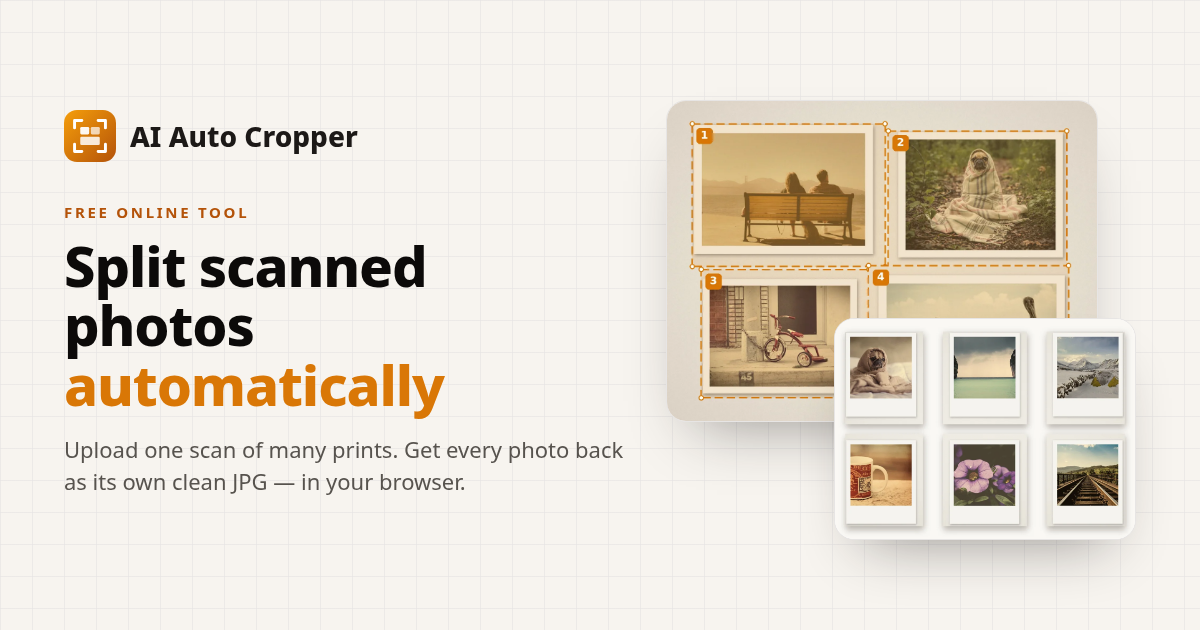
Before/after product mockups with complete alt text; no visible stock or AI filenames, but the crawl shows little image detail
- Tone70
Uniform promotional register throughout with no author voice, though the tool-specific specifics give it some grounding
- Words1,845
- Images22
- Alt coverage100%
- Internal links47
- External links0
- Schema blocks3
- HTML size292 KB
- Text-to-HTML4%
Each bar is one sentence of the page, in reading order — taller means longer. Human prose tends to look jagged, mixing short punches with long explanations. Machine drafts tend to flatten into even bars.
Computed from the body text we crawled, split on punctuation and filtered to prose-length sentences. Rhythm is a heuristic, not a verdict — some human writers are metronomically even, and a good editor smooths a machine draft.
No common LLM-marker phrases found — none of the stock AI vocabulary we scan for appears in the body text even once.
- Meta tagsAll presentWhy this matters
Why it matters. Title and description are the two strings Google shows in search results. They decide whether anyone clicks. A canonical tag tells Google which URL is the source of truth when the same content lives at multiple paths.
Passing looks like. A non-empty title under 60 characters, a meta description under 160, and a self-referencing canonical link.
Fix. Add the missing tags inside the page head. Treat the title as a headline you'd want to read in a SERP, not a brand slogan.
- Heading structure1 H1, 12 H2Why this matters
Why it matters. Headings are how crawlers and assistive tech understand a page's outline. One H1 names the page. H2s break it into sections. Skipped levels and missing H1s confuse both.
Passing looks like. Exactly one H1, at least one H2, and no skipped levels (no H1 to H3 jumps).
Fix. Replace the missing or duplicate H1 with a single, descriptive heading. Promote section titles to H2. Demote sub-points to H3.
- Mobile readinessResponsiveWhy this matters
Why it matters. Google indexes mobile-first. A page without a responsive viewport renders zoomed-out on phones, fails Core Web Vitals on touch, and loses its mobile ranking.
Passing looks like. A meta viewport tag with width=device-width and a layout that reflows under 600px.
Fix. Add a viewport meta tag set to width=device-width and initial-scale=1, then audit your largest blocks at mobile widths.
- Page speed signals1.5s responseWhy this matters
Why it matters. Page weight and response time directly feed Core Web Vitals. Slow LCP and oversized HTML hurt rankings more than people expect.
Passing looks like. First-byte under 1.5s, HTML payload under 500 KB, fewer than 30 images on the initial render.
Fix. Trim render-blocking scripts, defer non-critical CSS, and serve compressed images sized to the viewport. Move heavy components below the fold.
- Schema markup3 schema blocksWhy this matters
Why it matters. JSON-LD structured data is how you earn rich results: review stars, FAQ accordions, breadcrumbs, article cards. Skip it and Google has nothing structured to pull from when it builds your SERP card.
Passing looks like. At least one valid JSON-LD block matching schema.org types relevant to the page (Article, Product, FAQPage, Organization).
Fix. Add an application/ld+json script block describing the page. Validate with Google's Rich Results Test before deploying.
- Broken links0/5 broken in sampleWhy this matters
Why it matters. Broken internal links waste crawl budget, degrade UX, and signal to Google that the site isn't well-maintained. They also cap how deep crawlers reach.
Passing looks like. Every internal link in the sample returns 2xx or 3xx. No dead anchors, no stale paths.
Fix. Use the link list above to spot the broken paths. Either restore the missing pages or update the links to point at live URLs.
- Image alt textAll have altWhy this matters
Why it matters. Alt text is what screen readers read aloud, and what Google reads instead of pixels. Skip it and you lose on both fronts.
Passing looks like. Every meaningful image has a descriptive alt attribute. Decorative images can use alt="" to be skipped intentionally.
Fix. Audit images in /assets and CMS uploads. Write alts that describe what's in the image, not what it links to.
Every H1, H2, and H3 we found on the page, in document order.
Show heading outline
- H1AI Auto Cropper — Split One Scan into Separate Photos
- H2One scan in. Every photo out.
- H2How It Works
- H2What is AI Auto Cropper?
- H2Practical Scanning Scenarios
- H2Why use AI Auto Cropper?
- H2Scans split into separate photos
- H2How AI Auto Cropper Compares
- H2Simple pricing, free while in preview
- H2Frequently Asked Questions
- H2Ready to split your album scans?
- H2Related tools
- H2Related articles
- H3Upload
- H3Detect
- H3Adjust (optional)
- H3Download
- H3Family photo albums
- H3Flatbed batch scanning
- H3Instant & small prints
- H3Archives & genealogy
- H3Postcards & printed cards
- H3Single scans with borders
- H3Four prints on an album page
- H3Black-and-white prints on a dark page
- H3Mixed sizes on the scanner glass
- H3Six instant photos in one pass
- H3You stay in control
- H3Large archive or a tricky scan?
- H3Planned paid plans
We HEAD-check up to five internal links to spot broken paths quickly.
Show sampled links
Was this report useful?
Share this scan
Every CrawlRanker scan gets a public, shareable URL. Send it to a client, post it in a thread, or benchmark a competitor.
Preview scan. SEO checks are live. AI scoring is in beta.